
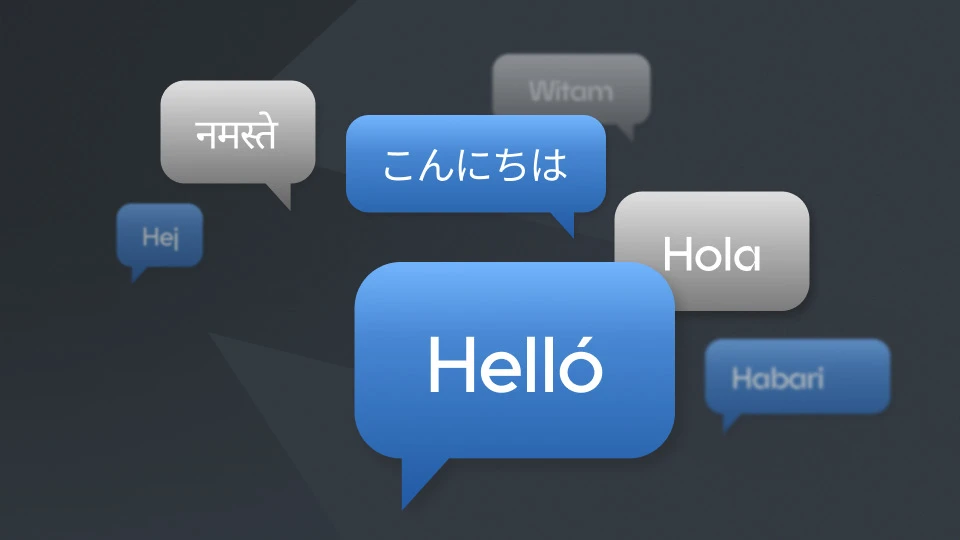
Do you speak more than one language? Do you want to sell to more than one country? Have you been building up your multinational credibility?
It might seem tricky to show that off on your site. But if you're using WordPress, there are simple ways to turn your website into a multilingual masterpiece.
Why should I translate my website?
Showing that you — and your site — speak more than one language is a big credibility boost. People are more likely to engage and purchase when content is available in their native language.
And it doesn't have to mean juggling different currencies, tax rates, or hosting your site in different countries. A UK-based site that includes Polish, Panjabi or Portuguese can be a comforting touch for people who have made their home here. And let's not forget the power of including Welsh.
How do I translate my site?
If your site only needs one language, WordPress makes that simple.
Go into your General Settings, and choose your preferred language from the Site Language drop-down menu. Click "Save Changes" at the bottom of the page. WordPress will download the language pack and quickly translate your WordPress installation into your chosen language.
Bear in mind - not every language is fully translated. This means if you want to give something back, there's always volunteer work to do for the WordPress Polyglot team.
Want your site in multiple languages, with your visitors choosing which language they'd prefer? There are plugins available that make quick work of adding additional languages.
You can create the posts in the languages you need, and they'll create separate URLs, add the necessary hreflang tags for search engine optimisation, and let you manage your content quickly and easily.
Our top multilingual plugins
Weglot
Weglot auto-detects your site's content and instantly creates a translated version using AI. You can then fine-tune the results to make sure they sound natural.
You'll need to create an account with Weglot and get an API key from their site. The free version covers up to 2,000 words in one language, while the paid version starts at around £13/month for up to 10,000 words in one language.
Polylang
Polylang lets you quickly and easily create separate posts for each language, making it a breeze to build sites without bogging you down fixing AI translations. Choose the main language for the site, add more languages in, and then go through and translate your posts. Great for bloggers and small websites, especially if you're just starting out and have only a few pages to work with.
It also translates media tags (title, alt text, caption, and description) which is great for accessibility.
The Pro version of Polylang (around £86/year) integrates DeepL for smart AI suggestions in 30 languages, as well as SEO, premium support, and even more items translated on your site. There's also Polylang Pro for WooCommerce, built to ensure your online store is as accurately translated as possible.
WPML
One of the powerhouses of the WordPress plugin universe, WPML gives you plenty of control over your translations, whether you're running a blog, e-commerce site, or brochure site. Available only as a paid plugin, starting at around £34, WPML works directly in the WordPress editor, making it easy to add in your multilingual content.
Upgrade to their CMS plan (around £86/year) and you get access to their Private Translation Cloud, a large language model built specifically for accurate translation across software platforms.
TranslatePress
Another great free plugin, TranslatePress gives you the ability to translate individual blocks and strings, to ensure each paragraph, caption and heading is perfect.
The free version covers one extra language, and gives you a great little switcher button to add to your site. And being integrated with Google Translate and DeepL means that you have a great automated backup for your first 2000 words.
Their Personal paid version (around £86/year) integrates Google Translate automatically, making it even easier to use AI to translate your site, and adds an SEO Pack that can tackle all multilingual SEO issues.
Should you trust AI translation?
Most plugins now offer automatic machine translation, and it's tempting. It's easy, affordable, and surprisingly accurate for a first draft. And get results with just a few clicks.
But it's not perfect.
Cultural idioms, sarcasm, double meanings, or even regional variations are hard for AI to translate effectively, and you could end up insulting your audience without realising. There are plenty of examples of big brands having problems, and most of them happened well before AI translation was available.
Using AI is a great first step. But always have someone fluent in the language review the results. Not only will they catch the big errors, they'll also make sure there's consistency, an authentic tone of voice, and catch those little regional variations that can throw a visitor off, even if they understand what you're trying to say.
Other multilingual features to think about
You might have translated all your text, but have you thought about all the other little touches that make up a site?
The language switcher
Flags might seem like a great way to show which languages you have, but remember — flags represent countries, not languages. If you're not supporting that country in currency, taxes, or shipping, then having the flag could be incredibly confusing for people living in that country.
Languages also vary across borders. Are you writing in British English? Australian English? Canadian English? Have you included Québécois French as well as your Canadian English? What about Mexican Spanish, Cuban Spanish and Spanish Spanish?
Instead, list the language name in its native script rather than a flag. People will more readily forgive some differences in Español or Français than they would with 🇬🇫 (French Guiana) or 🇬🇹 (Guatemala).
Cultural design
The structure of your site might be perfect for one audience, but does it land the same way elsewhere?
Design tastes vary. A homepage that works for UK visitors might feel cluttered to someone in US, or sparse to someone in the Japan. Take inspiration from a global company like Starbucks. Compare Starbucks US with Starbucks UK with Starbucks Japan — each comes from a different style of designing websites and focuses on what customers in that country want.
Try blending different design elements to create a holistic design that feels inclusive, no matter where your visitors come from.
Go global with WordPress
Creating a multilingual or multinational site can be daunting. But with WordPress, a good plugin (or two), and a little planning and patience, you can build a site that reflects your expertise, and welcomes the world.
Share this article
About the author

Kate B
I'm Kate, and I'm one of the Senior Marketing Managers here at Krystal. I'm a transplanted Southern Californian who likes bad pop culture, the Internet, and talking everyone's ears off about web hosting. Howdy!