

If you’re setting up your first website, running a business online, or comparing hosting options, you’ve probably come across cPanel hosting. It’s one of the most widely used ways to manage web hosting because it makes common tasks much easier.
cPanel is a web hosting control panel. In practical terms, that means you get a visual dashboard where you can manage your website, domains, email, files, databases and security settings without having to work directly on the command line.
For many website owners, that’s what makes cPanel hosting appealing. You get more control over your hosting account, but in a way that still feels straightforward and accessible.
If you’re trying to work out what cPanel is, what cPanel hosting includes, or whether you actually need it, this guide covers the essentials.
At Krystal, cPanel is included with our web hosting and reseller hosting plans, and it can also be added to VPS hosting if you want a more familiar way to manage your server.
What is cPanel hosting and is it right for you?
In simple terms, cPanel hosting is web hosting that includes cPanel as the main control panel for managing your account. Instead of editing server settings manually, you log in to a browser-based dashboard and handle the key parts of your hosting from one place.
Think of it as the admin area for your corner of the internet. With just a few clicks, you can create email accounts, add domains, back up your site, view traffic, issue a free SSL certificate, check your storage usage and more.
That usually includes tasks such as managing domains, creating email accounts, uploading files, viewing storage usage, working with databases, and installing website software. For beginners, that makes cPanel one of the easiest ways to get started with hosting.
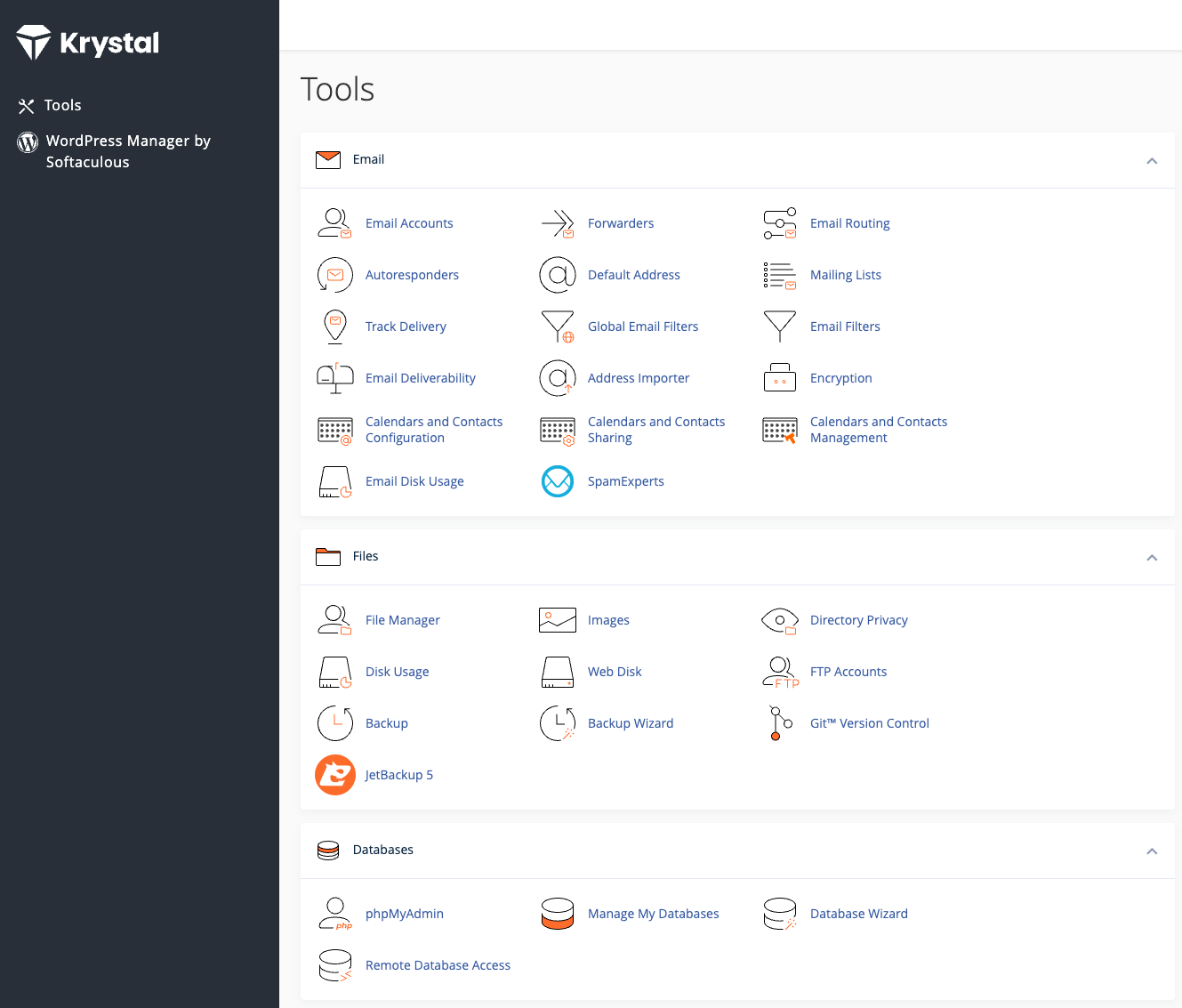
Most cPanel hosting runs on Linux servers, which is one reason it’s so widely used across the hosting industry. It’s flexible enough for developers and agencies, but simple enough for first-time site owners who want a clear interface instead of raw server administration.
What can you do with cPanel?
Quite a lot. cPanel is designed to give you control over the day-to-day parts of web hosting without making routine tasks feel technical.
Domains & subdomains

Add new domains, create subdomains for different sections of your site, or point domains to the right folders.
Email accounts
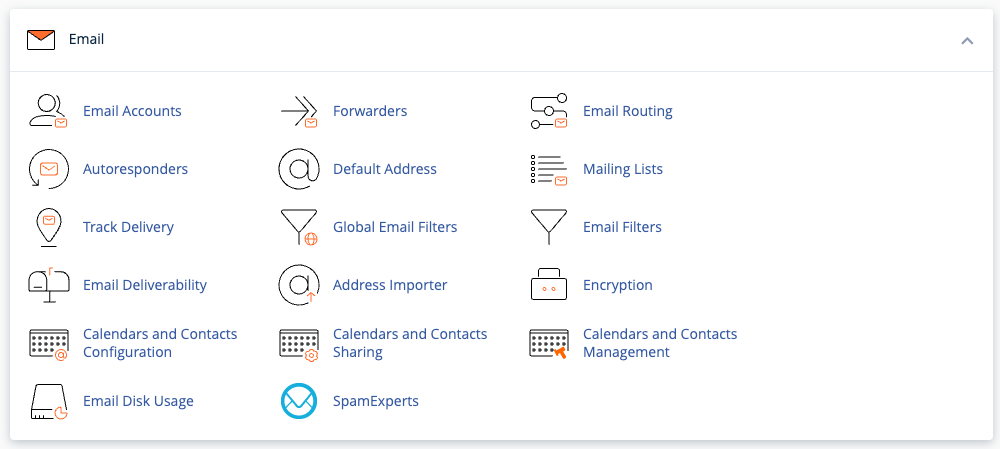
Set up custom email addresses (like hello @ yourdomain.com), manage inbox storage and configure spam filters.
Files & backups
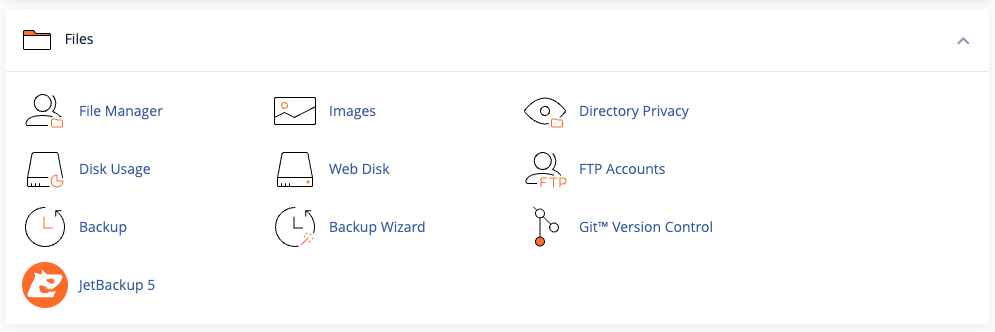
Upload files directly, use the File Manager and create automatic or manual backups.
Databases
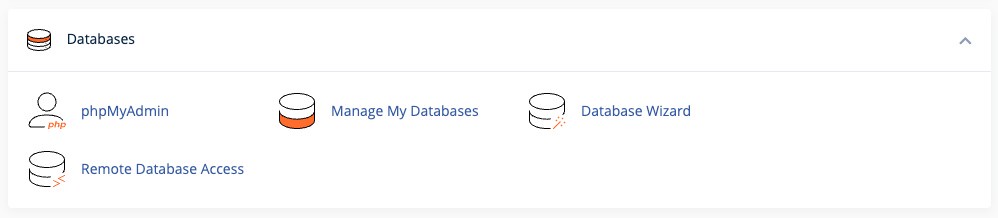
Create and manage MySQL databases, especially useful if your site runs on WordPress, Joomla or similar.
Apps & CMS installs
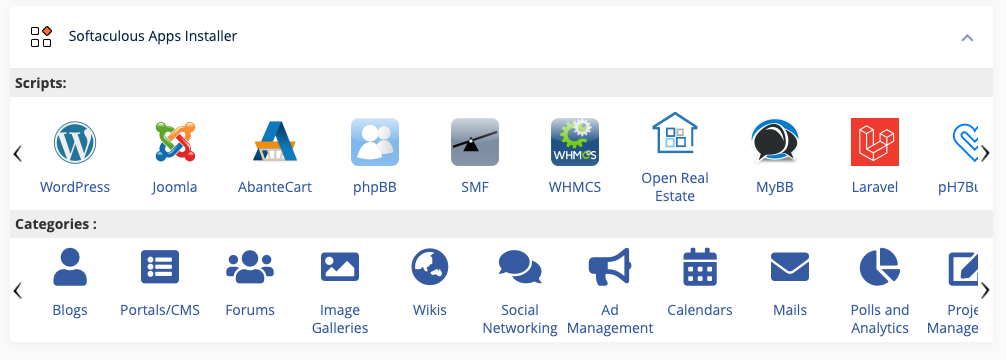
Use the one-click app installer to install platforms like WordPress, Drupal or Magento in just a few clicks.
Security settings
Install SSL certificates and adjust password protection settings.
Resource monitoring
Keep an eye on your bandwidth, storage, and memory usage. It’s a helpful way to spot issues before they become problems.
It’s all designed to be straightforward. Even if you’ve never hosted a website before, you’ll quickly feel at home.
For many users, this is the main benefit of cPanel hosting: you can manage the practical side of running a website without needing deep server knowledge.
Who should use cPanel hosting?
cPanel hosting is a strong fit for anyone who wants straightforward control over their hosting account. It’s especially useful for people who want flexibility, but don’t want to manage a server from the command line.
- You’re new to web hosting and want something easy to learn
- You run a business website, brochure site or blog
- You want to manage email, domains and backups in one place
- You want to install WordPress or another CMS quickly
- You prefer a visual dashboard over server admin tools
- You manage multiple websites and want a familiar control panel
It’s also a good option for freelancers, agencies and reseller hosting users who want a familiar setup that clients can use without much training. If you need separate hosting accounts for different clients, reseller hosting is often the next step.
Why is cPanel hosting so popular?
**cPanel hosting has stayed popular for years because it gives website owners a practical balance of usability, control and compatibility.
- Easy to use – the interface is clear and beginner-friendly
- Widely supported – there are plenty of guides, tutorials and hosting providers that use it
- Feature-rich – you can manage domains, email, databases, backups, SSL and more from one dashboard
- Flexible – it works well for business sites, brochure sites, blogs, CMS installs and reseller hosting
- Familiar – many site owners, developers and agencies already know how to use it
If you’ve used a WordPress dashboard or an online banking portal, you’ll find cPanel just as intuitive.
How does cPanel hosting work?
With cPanel hosting, your hosting provider gives you a hosting account plus access to the cPanel dashboard. You log in through your browser, then use that dashboard to manage the parts of your website account that would otherwise require more manual setup. That might include creating email addresses, pointing domains, uploading files, managing databases, installing WordPress, checking resource usage or enabling SSL. The hosting itself still runs on the provider’s infrastructure. cPanel is simply the interface you use to manage it.
cPanel vs other control panels
While cPanel is the best-known hosting control panel, it isn’t the only one. Other options include Plesk and DirectAdmin, but cPanel remains the most familiar choice for many website owners and agencies.
| Feature | cPanel | Plesk | DirectAdmin | |
| Ease of use | Very beginner-friendly | More technical but still easy | Lightweight but less intuitive | |
| OS support | Linux-based | Linux & Windows | Linux | |
| Popularity | Most common | Second-most common | Niche usage | |
| Tutorials/help | Extensive | Moderate | Limited |
For most users, especially beginners or small businesses, cPanel hosting is the most approachable and widely supported option. For most users, especially beginners and small businesses, cPanel is still the most approachable and widely supported option. At Krystal, it’s available with our web hosting and reseller hosting plans and can also be added to VPS hosting.
How to get started with cPanel hosting
If you’re comparing cPanel hosting providers, it helps to look beyond the control panel itself. The real difference comes from the underlying hosting platform, support, security and how easy it is to scale later.
- cPanel included as part of the plan
- Fast, reliable hosting infrastructure
- Free SSL certificates and backups included
- Helpful support if you need a hand
- Clear pricing and sensible upgrade options
- Strong security and ongoing platform maintenance
- A provider with values that align with your business
Control without the complexity
cPanel hosting remains one of the most beginner-friendly, reliable ways to manage a website. It puts you in control of your hosting without needing to understand code, servers or command lines.
Whether you’re launching a personal blog, setting up shop or managing sites for clients, cPanel gives you the tools you need to run your website well and grow with confidence.
If you're ready to get started, explore Krystal’s cPanel hosting packages or reach out to our UK-based team with any questions. We’ll help you get up and running and stay supported every step of the way.
cPanel hosting FAQ
What is cPanel?
cPanel is a web hosting control panel. It gives you a browser-based dashboard where you can manage things like domains, email accounts, files, databases, SSL and website installs.
What is cPanel hosting?
cPanel hosting is web hosting that includes cPanel as the control panel for managing your hosting account.
What is cPanel used for?
cPanel is used for everyday hosting tasks such as adding domains, creating email addresses, managing files, working with databases, installing applications and checking account usage.
What does cPanel do?
cPanel gives you a simpler way to manage your hosting account through a visual interface, rather than handling everything manually on the server.
Is cPanel a hosting provider?
No. cPanel is not a hosting provider. It’s the software control panel used to manage a hosting account provided by a web host.
Do I need cPanel for WordPress?
Not necessarily, but many users find it helpful. cPanel can make it easier to install WordPress, manage email, work with databases and handle the hosting side of your site. If you want a more hands-off setup, managed WordPress hosting may be a better fit.
Is cPanel the same as WordPress?
No. WordPress is a content management system for building and managing a website. cPanel is the hosting control panel used to manage the hosting account behind that website.
How does cPanel hosting work?
Your hosting provider gives you server space and a cPanel login. You then use cPanel to manage the main parts of your hosting account through your browser.
Share this article
About the author

Darren H
I'm Darren and I'm the Senior Copywriter at Krystal. Words are what I do. Aside from writing, I play guitar and sing in my band Machineries Of Joy and seek adventure with my wife and daughter.